ZooKeeper Cheaty
- ZooKeeper Cheats on PC: Trainers, Money, XP, and Animal Needs Toggles
- How to Unlock Animals and Regions with Badges
- Hidden Achievements and Retro Nods You Might Miss
- Known Bugs and Glitches in ZooKeeper (and Workarounds)
- Beginner Tips and Early-Game Strategy for ZooKeeper
- Rabbit Hole Walkthrough and Progression Roadmap
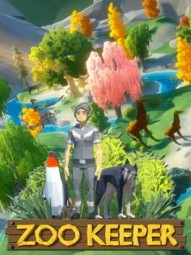
ZooKeeper Cheats on PC: Trainers, Money, XP, and Animal Needs Toggles
CheatyLooking for ZooKeeper cheats to fast-track your dream park? There’s no built-in console, so the easiest route is a trainer. PLITCH supports ZooKeeper with a mix of free and premium toggles that let you bend the rules for cash, XP, staff energy, and animal needs.
How to use PLITCH with ZooKeeper:
- Install the PLITCH client and create a free or premium account.
- Launch ZooKeeper, then open PLITCH and select the game.
- Toggle the cheats you want while the game is running.
Free PLITCH cheats for ZooKeeper:
- Add Money – Injects cash when you need it most.
- Decrease Money – Handy if you want to self-balance or roleplay a tougher run.
- Add XP – Levels you faster to unlock more content without the grind.
Premium PLITCH cheats for ZooKeeper:
- No Animal Hunger – Stops food needs entirely.
- Max Animal Fun – Keeps enrichment maxed.
- Max Animal Hygiene – No more dirty enclosures dragging down happiness.
- Zero Animal Bladder – Cuts out bathroom-related messes.
- Max Animal Health – Skips vet trips and illnesses.
- Max Staff Energy – Your team never needs a break.
- Increase Level – Pushes your player level up quickly.
- Add Reward Points – Speeds up badge and unlock progress.
- Player Contract – Trainer option related to progression/contracts.
Other options:
- WeMod and Cheat Engine community tables may exist for ZooKeeper, but they’ll take more technical setup and can be less stable across patches.
Tips when using ZooKeeper trainers:
- Stick to single-player and back up your saves.
- Turn cheats on only when you need them to reduce the chance of weird behavior.
- If something glitches, disable the trainer and reload your save.
How to Unlock Animals and Regions with Badges
UnlockablesWant to know how to unlock new animals in ZooKeeper and open fresh regions? Progress runs through badges and level milestones.
What badges do:
- Badges are earned by completing objectives, building specific facilities, and hitting visitor goals.
- Earning badges unlocks new animal species and opens the path to the game’s seven zoo locations.
- The roster is surprisingly diverse—expect crowd-pleasers like lions, elephants, pandas, and polar bears alongside prehistoric stars like mammoths, triceratops, and velociraptors gated behind progression.
How to earn badges fast in ZooKeeper:
- Chase objective chains tied to building tasks and visitor targets.
- Balance aesthetics with function—decorations often factor into objectives.
- Keep guests happy with food stands and facilities; satisfied visitors move milestones faster.
Leveling and pacing:
- XP requirements climb as you advance, so leveling naturally slows mid-game.
- If you’re stuck, focus on high-impact objectives (ones that unlock multiple animals or new tools) before cosmetic upgrades.
SEO tip for players: If you’re searching “how to unlock animals in ZooKeeper” or “unlock new regions in ZooKeeper,” zero in on badge requirements in your current location, then prioritize objectives that unlock new species rather than just boosting your star rating.
ZooKeeper hides a few fun discoveries for players who like to poke around.
- Seven Hidden Achievements: The game includes seven achievements with undisclosed requirements. They only reveal themselves after you unlock them. If you enjoy the chase, experiment with unusual playstyles, habitat setups, and milestone combinations, or compare notes with the community to spot patterns.
- Retro DNA: The name “ZooKeeper” and the game’s low-poly style tip the hat to classic arcade-era vibes, echoing the spirit of vintage zoo/animal-themed cabinets. It’s a visual wink rather than a direct in-game reference, but you’ll feel the homage in the aesthetic.
Known Bugs and Glitches in ZooKeeper (and Workarounds)
UsterkiBefore you deep-dive your dream park, here are the common ZooKeeper glitches and rough edges players report, plus practical ways to cope.
UI scale and cramped screens:
- On 1080p or lower, menus can crowd the view. If possible, play at a higher resolution and keep build panels closed when placing paths or decorations to reduce overlap.
Pathing quirks and connection issues:
- The path tool is picky about node alignment. Facilities might look connected but aren’t.
- Tips:
- Snap paths directly to facility entrances and enclosure gates.
- Rebuild short segments if visitors ignore a building—misalignment is often the culprit.
- Keep angles simple until you’re comfortable with curves and diagonals.
Worker task confusion:
- It’s not always obvious whether a command targets one enclosure or the whole zoo, which can cause duplicate jobs and idle animals.
- Slow the game speed when queueing tasks, avoid spamming the same command, and monitor worker lists to prevent overload.
Occasional crashes:
- Some players hit sporadic crashes on certain setups.
- Keep your game updated, verify files, and ensure your PC meets the specs. If crashes persist, try a clean reinstall and temporarily disable trainers or overlays while testing.
Beginner Tips and Early-Game Strategy for ZooKeeper
WskazówkiStarting out and need practical tips for ZooKeeper? Here’s how to build momentum without burning cash or morale.
Money and pricing:
- You begin with around 10,000—it goes fast. Hire help early; one worker can’t do everything.
- Tune ticket prices. You’re not locked to the default—many players find success anywhere from the teens up into the 40+ range, but higher prices reduce foot traffic. Watch visitor flow and satisfaction to balance volume vs. margin.
- Monetize facilities. Charge for bathrooms and dial in your food stand pricing to build steady, low-maintenance income streams.
Animal happiness basics:
- ZooKeeper is species-specific—copy-paste habitats don’t cut it. Expect to experiment.
- Examples players report:
- Lemurs respond well to bright, tropical flowers and similar vegetation.
- Deer are pickier; combos like spiky ferns and tall trees tend to land better than generic decor.
- Decorations matter for both visitors and enrichment. Some early objectives literally require certain decor counts or types, even if the tutorial isn’t crystal clear.
Habitats and social needs:
- Check the animal info panel for space requirements, then slightly overshoot to avoid red faces.
- Social setups vary: solitary predators (e.g., leopards) prefer separate spaces; herd animals (zebras, wildebeest) thrive in groups.
Staff energy management:
- Workers have energy bars that drain with tasks. Breaks aren’t automatic—you need to approve them.
- Stagger tasks, avoid over-queuing, and look for staff-related badges (like coffee-centric energy perks) to keep the team going with fewer interruptions.
Rabbit Hole Walkthrough and Progression Roadmap
PrzewodnikiThe Rabbit Hole is ZooKeeper’s tutorial zone and your first big test. Use it to learn the rhythms that carry you through the rest of the game.
Rabbit Hole goals:
- Follow the prompts to build your first enclosures, hire staff, and get visitors moving.
- Expect early animals like lemurs and deer, which push you to experiment with decor and enrichment.
- Hit the star-rating objectives to unlock the next locations.
Mid-game expansion:
- Stabilize revenue before splurging on new habitats. Your priorities:
- Reliable income via tuned ticket prices and paid facilities.
- Enough staff coverage to keep animals happy without micromanagement chaos.
- Incremental upgrades that unlock badges and new species, not just visual flair.
Late-game focus:
- With money flowing, ZooKeeper leans into creativity.
- Build themed zones (savanna corner, icy enclosure row, or a prehistoric showcase).
- Optimize guest flow and polish aesthetics once the heavy lifting is done.
If you’re searching for a “ZooKeeper walkthrough” or “Rabbit Hole guide,” think of this area as a sandbox to master the basics—especially decoration goals and staff breaks—so later zoos run smoother.