SiMarket: Supermarket Simulator Guides
- SiMarket: Supermarket Simulator Cheats – Safe Save-File Edits for Money, Levels, and Staff
- How to Unlock Licenses and Staff in SiMarket
- Known Glitches and Workarounds Players Should Know
- Quick Tips for SiMarket Beginners
- Early-Game Survival Guide – From NULL to Stable Cash Flow
- Pricing That Prints Money – Best Markups and Dynamic Strategies
- Storage Mastery and Restocker Automation
- Smart Expansion, Store Layout, and Checkout Flow
- Advanced Money Plays – Bulk Buying, Market Watching, and Smart Restarts

SiMarket: Supermarket Simulator Cheats – Safe Save-File Edits for Money, Levels, and Staff
CheatsLooking for SiMarket: Supermarket Simulator cheats to get instant cash, max store level, or unlock staff earlyNULL It’s single-player only, doesn’t trip anti-cheat, and lets you skip the grind if you want to test layouts or just play with all the toys.
Follow these steps carefully:
- Find your save file (PC): AppData\\Local\\NotaGames\\Supermarket Simulator
- Identify the right file: Look for the ES3 save with the latest timestamp.
- Back it up first: Copy the file somewhere safe in case you make a typo.
- Close the game completely: If the game is open, it can overwrite your changes.
- Open the save in a text editor: Notepad works fine.
- Search and edit values:
- Money: search for “money” (or scroll for cash-looking values). Add zeros or set your exact amount (e.g., 50 to 50000). Some values use 2–4 decimals—don’t worry if they do.
- Store level: search “level” or “current store level” and set the number you want (e.g., 100) to unlock licenses and features tied to level.
- Completed checkout count: bump this up to unlock cashiers and restockers sooner.
- Save and reload your game: Your changes should apply immediately.
Tips and risks:
- Always back up the save first. A stray character can corrupt the file.
- Make edits with the game fully closed.
- If something looks off after loading, restore your backup and re-edit more carefully.
This is the cleanest way to activate “cheats” in SiMarket without third-party tools. Use it to experiment, unlock staff fast, or just build your dream supermarket now.
How to Unlock Licenses and Staff in SiMarket
UnlockablesHere’s how progression actually unlocks the good stuff in SiMarket: Supermarket Simulator, plus the requirements to hire cashiers and restockers. If you’re searching “how to unlock cashiers in SiMarket” or “best licenses to buy first,” this is for you.
Product licenses (high level view):
- There are 26+ licenses tied to store level. Buying a license unlocks multiple related products permanently.
- Early unlocks (around level 3): Refrigerated basics like bottled water, cheese, eggs, milk, tea.
- Level ~13: Frozen foods enter the chat—chicken, fries, pizza—big variety bump.
- Mid-late game:
- Level ~42: premium meats and other high-margin categories.
- Level ~56: specialty frozen foods/pastas.
- Level ~70: cleaning and household products with strong margins.
- License costs: Roughly NULL,000–NULL,000 for early ones; ?,000–?,000 for late-game. One-time fee; ordering then uses normal market prices.
Employee unlocks (automation milestones):
- Cashiers (free you from the register)
- First: Level 10 + 200 completed checkouts
- Second: Level 20 + 400 checkouts
- Third: Level 30 + 900 checkouts
- Fourth: Level 50 + 1,750 checkouts
- Restockers (keep shelves full automatically)
- First: Level 15 + 1 checkout
- Second: Level 22 + 6 checkouts
- Third: Level 29 + 13 checkouts
- Fourth: Level 37 + 20 checkouts
- Beyond: More unlock post–level 50 with higher counts
Strategy tip:
- Buy licenses that unlock higher-priced items first—your profits per unit jump even with conservative markups.
Known Glitches and Workarounds Players Should Know
GlitchesSiMarket is great, but a few bugs can trip you up. Here are the big ones and what you can do right now.
Storage room door locks/inaccessible:
- Often reported after storage expansion level 3. The door may re-lock even if you unlocked it before.
- Workarounds: Reload your save; sometimes it clears. Avoid placing the upgrade computer inside storage to prevent soft locks.
- Xbox-specific hack: In co-op, have a friend shove a shelf into you to clip through the wall if you’re stuck.
Time freeze at 12:03 PM (or similar):
- Daytime can lock up and stop progressing, unrelated to the pre-opening time pause.
- Possible trigger: Rapidly flipping between map and delivery/order screens.
- Fix: Reload the most recent save and avoid spamming those menus for a while.
Restocker and placement issues:
- Restockers stash items in storage instead of shelves if shelves were never “seeded” or storage is disorganized.
- Fix: Place one unit on each shelf first, tidy your backroom, clear empty boxes. If an item is stuck in a shelf, close the store, remove the item, and try again. Worst case, delete and replace the shelf.
Co-op instability:
- Players have reported item loss, storage room bugs, and save hiccups post co-op update—varies by platform.
- Advice: Back up important saves before hosting/joining co-op. PC tends to be more stable than consoles.
If all else fails, reload a prior save or temporarily avoid the action that triggered the bug. Patches are improving things, but these tips can save a day’s progress.
Quick Tips for SiMarket Beginners
HintsWant bite-sized tips you can use todayNULL Here you go.
- Chase store points early: Fast leveling beats fat margins in week one.
- Avoid empty shelves: If a shelf drops below one-third, reorder before it goes dry.
- Price gently at first: Market price or just under to build traffic and level faster.
- Read the complaint log nightly: Fix what annoyed customers today to sell more tomorrow.
- Keep categories sensible: Don’t mix cleaning items with food; it dings satisfaction.
- Mid-day top-ups help: If something’s flying, place a second order before 5 PM.
- Know your milestone: First cashier at around level 10 (with required checkouts) is a huge power spike.
Small habits stack into big gains by week two.
Early-Game Survival Guide – From NULL to Stable Cash Flow
GuidesThe opening in SiMarket is rough. You start with NULL and a single shelf, so every dollar matters. Here’s how to survive (and thrive) without stalling your run.
- Prioritize checkouts for store points: Each successful checkout gives store points, which level up your store and unlock product licenses and features. In the first 3–5 in-game days, aim for level 3–5.
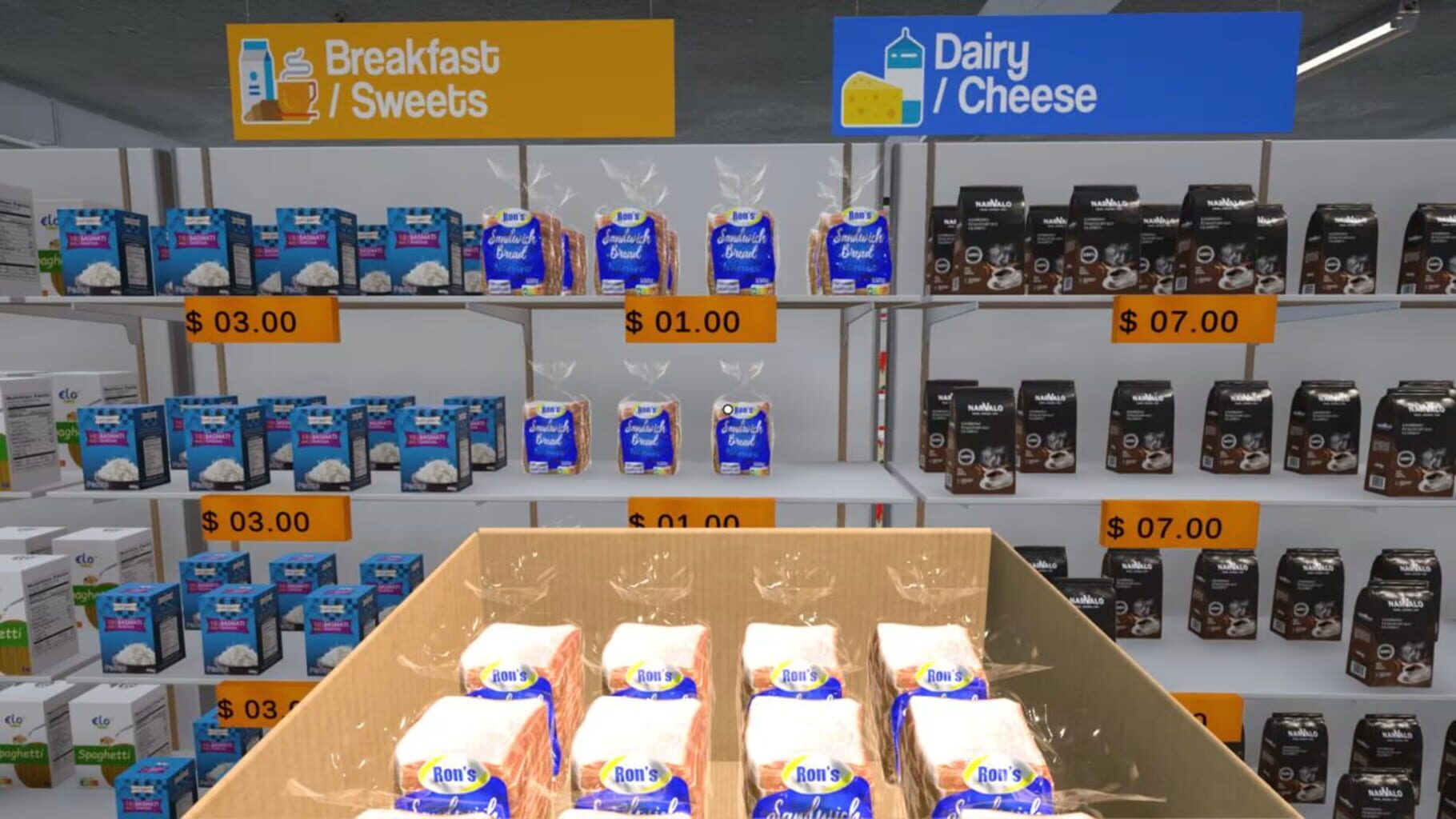
- Stock the starter six: Cereal, sliced bread, flour, oil, pasta, powdered sugar. Keep them visible and avoid empty shelves.
- Price conservatively for week one: Set prices at or slightly below market to boost traffic and level faster. Profit comes later, access comes now.
- Use loans if needed: The early economy is tight. Loans have daily interest, but they can bridge the gap until you reach NULL,000–NULL,000 in liquid cash—where the game gets much easier.
- Hit the key milestone: Around store level 10 you can hire your first cashier (after meeting the checkout requirement). That one hire frees you from the register and often boosts daily revenue by 30–50%.
A daily rhythm that works:
- Morning: adjust prices based on yesterday, restock, place orders.
- Open: monitor shelves and customer complaints; place mid-day top-up orders if items move fast.
- Night: close at 9 PM, pay bills, review stats, plan tomorrow.
Play it steady, protect your cash flow, and push your store level early—it unlocks the real money-makers.
Pricing That Prints Money – Best Markups and Dynamic Strategies
GuidesSmart pricing is half the battle in SiMarket: Supermarket Simulator. Here’s a proven baseline plus advanced tactics to squeeze more profit without tanking sales.
Baseline markups (tweak per product/demand):
- Under NULL items: about +NULL.20 over market.
- NULL–NULL items: about +NULL.30 over market.
- NULL+ items: about +NULL–NULL over market.
Why it works:
- Cheaper items are price-sensitive; keep margins thin.
- Expensive items handle bigger absolute markups and still move.
Scale it up with dynamic pricing:
- Track demand: If something sells out daily, nudge price up. If it lingers, lower it slightly.
- Loss leaders: Price a popular staple below market to pull traffic, profit off the rest of the basket.
- Bundles: Group complementary products for a perceived deal. Works great mid/late game once storage and stock depth are solid.
- Target premium licenses: Higher-ticket categories (premium meats, specialty frozen, household) yield bigger profits even with conservative markups.
The goal is simple: maximize basket value without triggering “too expensive” complaints. Watch your end-of-day report, adjust, repeat.
Storage Mastery and Restocker Automation
GuidesA clean backroom equals faster shelves and fewer headaches. Organize it once, and your restockers will do the heavy lifting.
Backroom setup:
- Sort by category: Dedicate shelves by product type and label your rows mentally.
- Match delivery quantities: Arrange storage in neat blocks (e.g., rows of 10) so box counts fit perfectly—no over-ordering by accident.
- Create an overflow zone: Keep one or two shelves for “oops, too much” inventory.
Make restockers shine:
- Seed every shelf: Place at least one unit of each product on its store shelf before relying on restockers. They won’t fill a shelf that’s never held that item.
- Keep floors tidy: Restockers waste time tossing empty boxes; clutter slows them down.
- Hire to your revenue: Roughly 1 restocker per NULL,000–NULL,000 in daily revenue. Scale up as your store grows.
- Reduce pathfinding delays: Mirror your backroom layout to your sales floor organization. The less they wander, the faster shelves fill.
If restocking stalls, check shelf seeding first, then backroom organization. Most “AI won’t restock” issues come from those two.
Smart Expansion, Store Layout, and Checkout Flow
GuidesExpanding feels great—until your bills spike. Grow with intent and make your floor plan work for you.
Expansion basics:
- Every square foot adds rent and utilities. Don’t overbuild. Plan space around licenses you actually intend to buy.
- Minimalist route: Focus on high-margin categories and keep a compact footprint for great profit per square foot.
Layout that customers understand:
- Group logically: Fresh near the entrance, beverages on one refrigerated wall, dairy on another, frozen in dedicated freezers, and non-food on separate aisles.
- Clear sections = happier shoppers: Easier finds mean fewer complaints and higher basket sizes.
Checkout flow:
- One register is fine at the start (handles ~30–40 customers/day).
- Add registers as traffic grows, but match them to your number of cashiers so they’re actually staffed.
- Don’t spam registers early. They eat floor space and utilities without adding revenue if idle.
A tidy plan saves you from rework—and keeps operating costs in check long term.
Advanced Money Plays – Bulk Buying, Market Watching, and Smart Restarts
GuidesReady to go beyond basics? These techniques push profits higher once your store is stable.
- Bulk buying during dips: Watch the market and stockpile high-margin items when prices are unusually low. Sell through over the next few days at normal prices. Requires cash and storage, but the margins add up.
- Track your prices: A simple notepad or spreadsheet helps you spot real lows worth buying. Over time, you’ll learn your “buy zones” and stop guessing.
- Profit per square foot mindset: Don’t waste shelves on low-margin commodities if space is tight. Reserve prime spots for high-ticket items and fast movers.
- Strategic restarts: Plenty of players enjoy rerolling once they master the openers. A fresh run with learned layouts and pricing can be surprisingly fun—and fast.
These are mid/late-game tactics that compound. Start small, stay organized, and scale what works.
Screenshots